An inventory built from bills goes wrong in ordinary ways. A site manager forgets to forward September. Someone uploads the June gas bill, then a colleague uploads it again from a different inbox. A refrigerant top-up gets entered in kilograms when the service sheet said pounds. None of these are exotic, and each one moves the total.
The fix is not more care at data entry. It is a set of checks that run every time, a short list of issues with a severity, and a rule that a high-severity issue blocks sign-off. This post walks through how ESGBlade does that, using the six issues open in the fictional demo company's FY2025 period.
The checks
The data quality agent recalculates the period and runs these checks:
| Check | What it looks for | Why it matters |
|---|---|---|
| Gaps | Missing months per site and fuel | A missing month understates the year |
| Duplicates and overlaps | The same bill entered twice, or service periods that overlap | A double counts the same energy twice |
| Outliers | A change of 30% or more against the prior period | Often a unit error, a meter change or a real change worth explaining |
| Estimates | Lines marked as estimated | Fine to use, but you should know how many |
| Can't calculate | Lines with no matching factor | They can't add to the totals until a factor is matched |
| No eGRID subregion | US sites without a grid region | Location-based Scope 2 needs it |
Each issue has a severity, a site and period where that applies, and a status: open, then resolved or accepted with a reason.
Cedarline's six issues
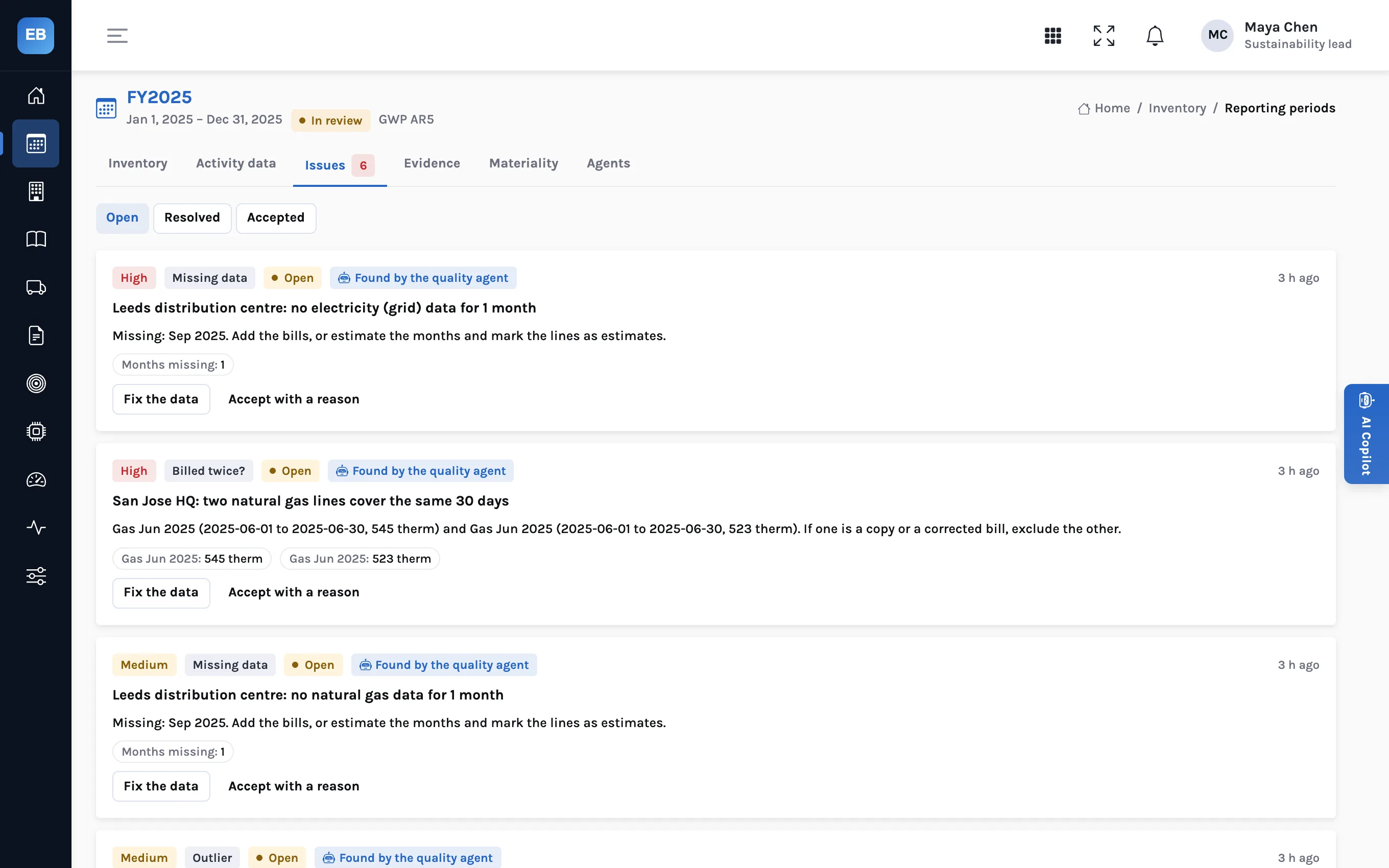
Cedarline Instruments is a made-up instruments maker with sites in San Jose, Austin and Leeds. Its FY2025 period shows six open issues, two of them high:
- High, missing data. Leeds has no electricity bill for September 2025.
- Medium, missing data. Leeds also has no natural gas bill for September 2025.
- High, billed twice. San Jose HQ has two natural gas lines for the same 30 days in June 2025, one for 545 therm and one for 523 therm.
- Outlier. Austin's refrigerant top-up is up 30% on FY2024.
- Outlier. Austin's natural gas is up 36% on FY2024.
- Estimate. One line in the period is estimated.
Resolve or accept with a reason
There are two honest ways to close an issue.
- Fix the data. Upload the missing bill, exclude the duplicate line with a reason, correct a unit. When the period is recalculated and the check no longer finds the problem, the issue is marked resolved; if it comes back, it reopens.
- Accept with a reason. Some issues are true. If Austin's gas really rose 36% because a second shift ran through the winter, the outlier is not an error. You accept it and write why. The reason stays on the issue and in the audit trail.
Accepting is not hiding
An accepted issue is recorded with who accepted it, when and why. A reviewer reading the period later sees the same explanation you gave.
The two San Jose lines show the difference between the two paths. 545 and 523 therm are close but not equal, so this may not be one bill entered twice. It could be an original bill and a corrected re-bill. Look at the cited pages for both before deciding which to keep, and exclude the other with a reason that says what you saw.
Working through the list, in order
When Maya Chen, Cedarline's sustainability lead, runs the agents on FY2025, the data quality agent turns the six issues into one prepared decision: Deal with 6 data issues. It proposes excluding the second copy of the June gas bill and logs follow-ups for the rest. The intake agent separately prepares the request to the Leeds site owner for the two missing bills.
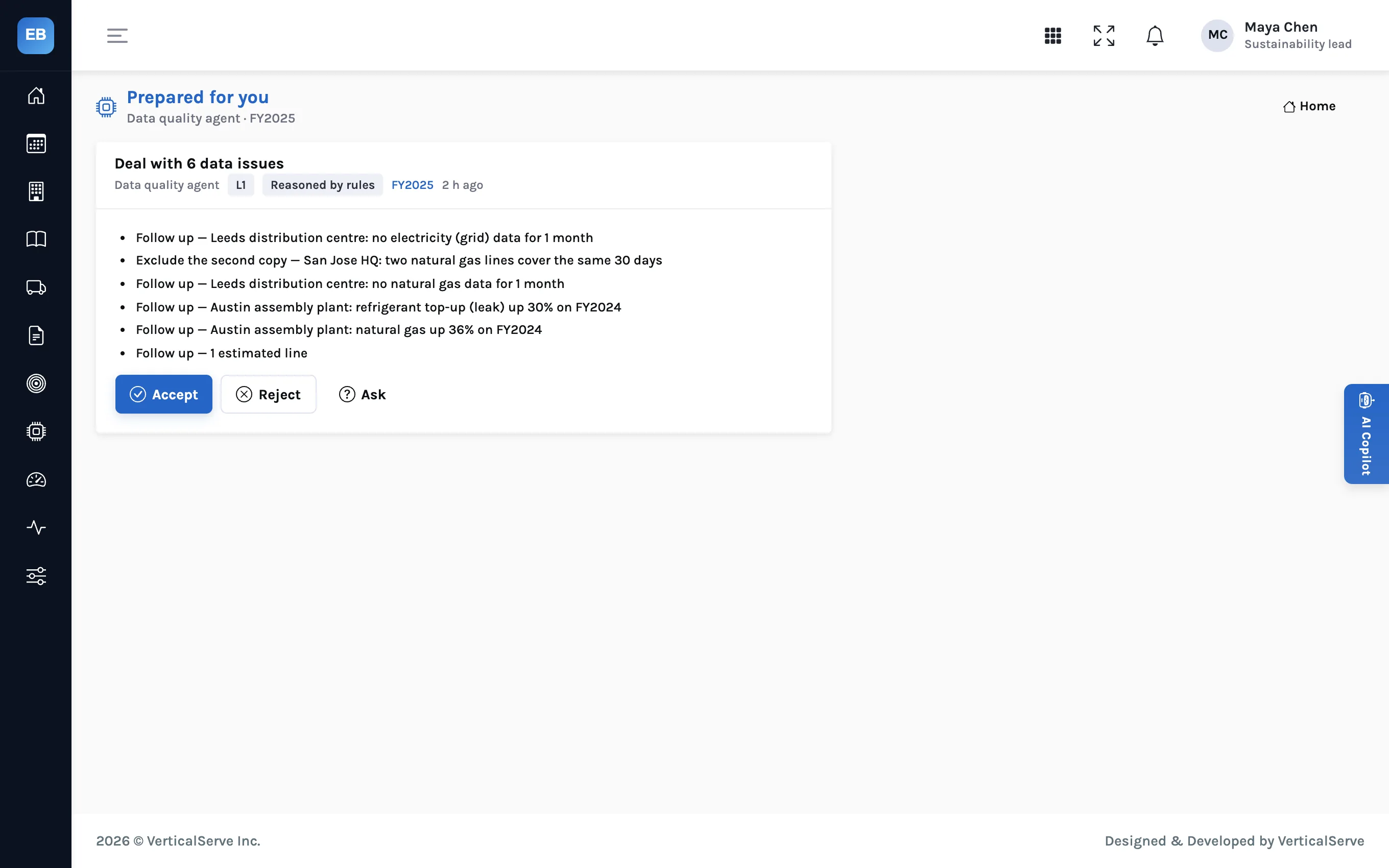
- Open the prepared decision and read each proposed fix. Choose Ask if a fix is unclear.
- Check the two June gas lines against their cited pages, then accept the exclusion or reject it and exclude the other line yourself.
- Send the intake agent's request for the Leeds September bills. When they arrive, upload them and confirm the new lines.
- Ask Dan Okafor in facilities about the Austin refrigerant and gas increases. Fix the data if a unit was wrong, or accept each with his explanation.
- Review the estimated line. Replace it with actual data if you can, or accept it and say how the estimate was made.
- Run the agents again to recalculate and recheck.
The sign-off block
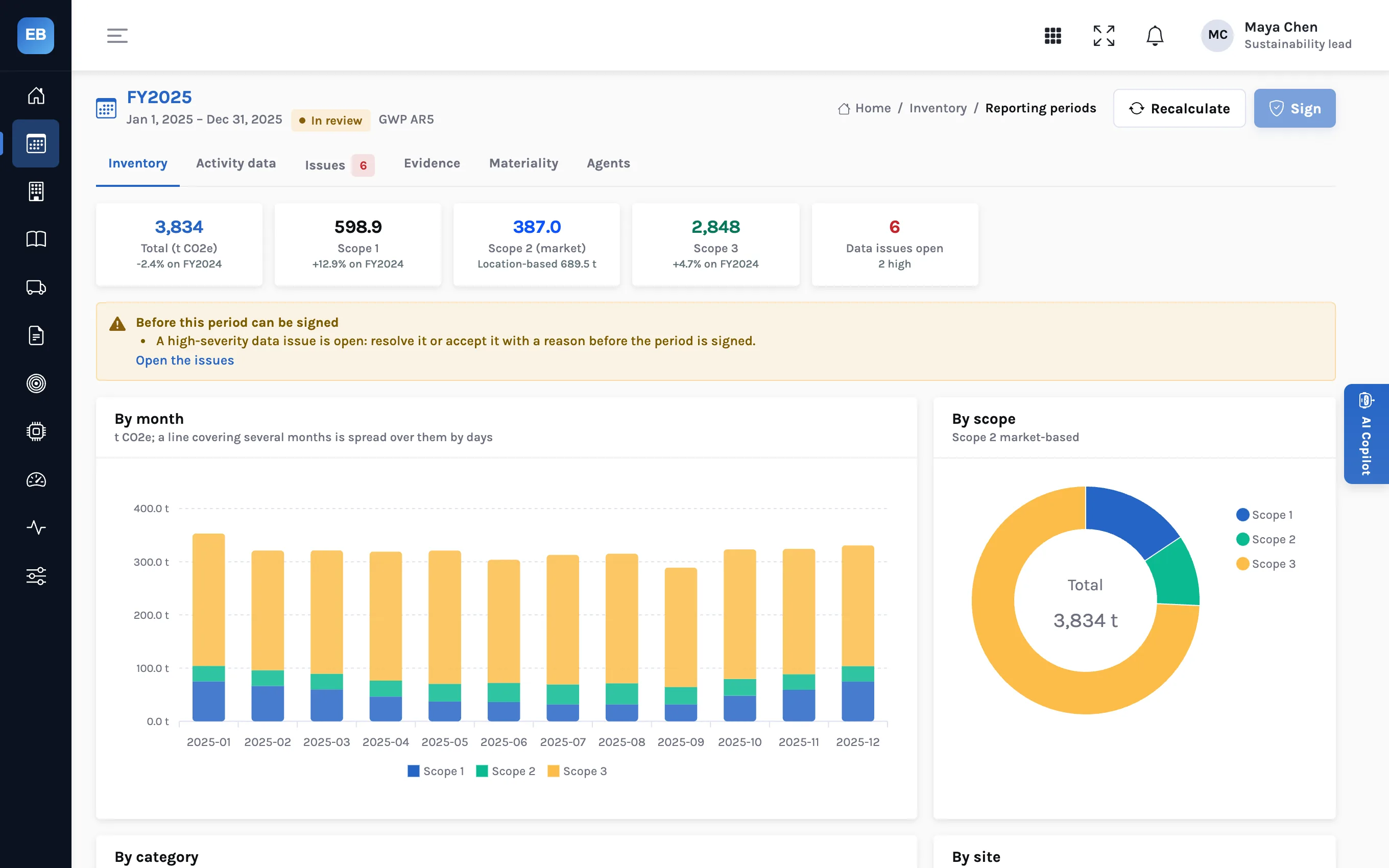
Rules Studio holds the inventory controls. The one that matters here is "a high-severity data issue is open → block sign-off". While either high issue is open, the supervisor agent won't prepare the lead's sign-off; it says what blocks it instead. The inventory page shows the same thing in its Before this period can be signed warning.
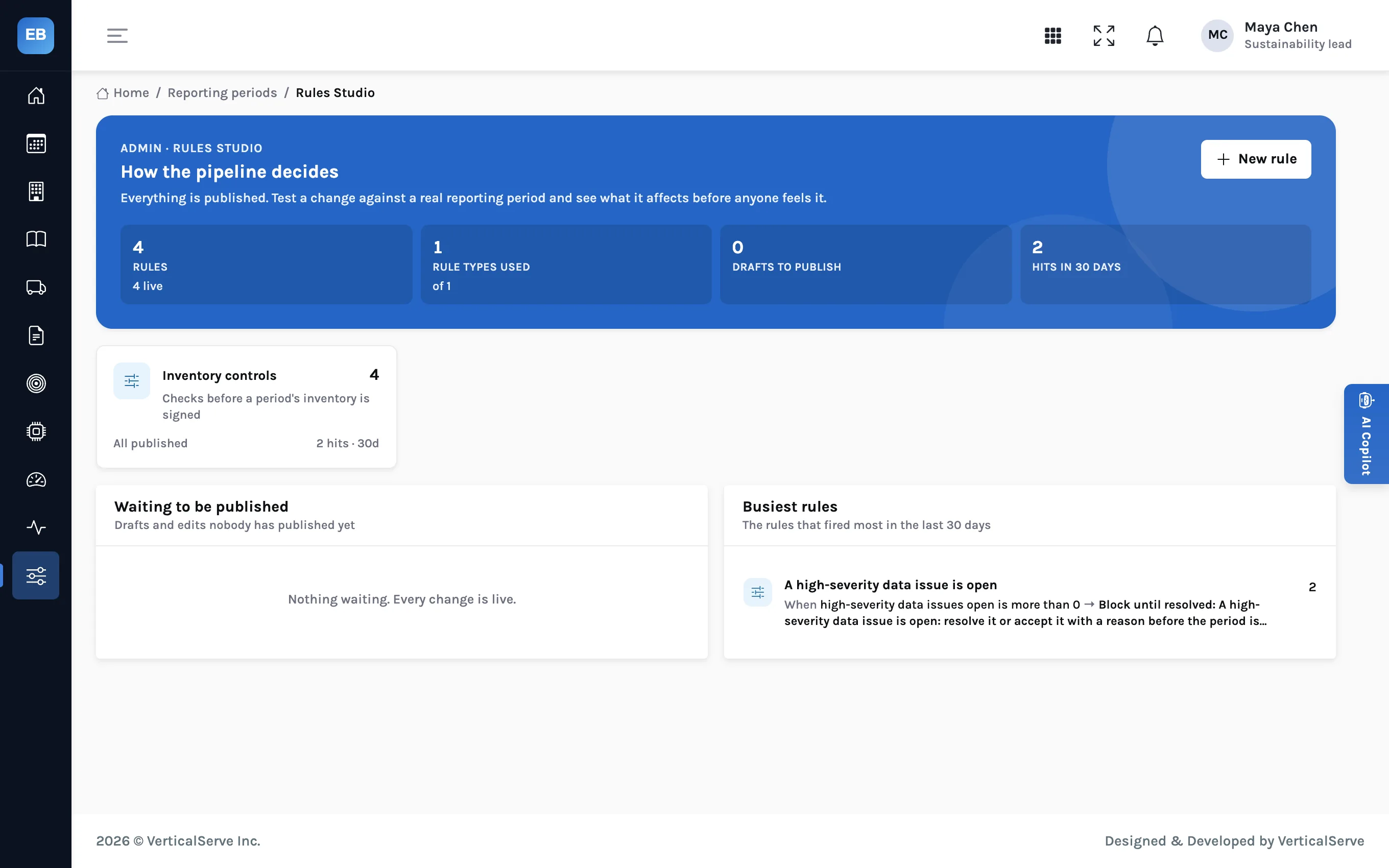
Controls are versioned and can be tested against a real reporting period before you publish a change. That lets you see, for example, whether tightening a rule would have blocked last year's sign-off.
Where people stay in charge
- A person gets the bill. The gap check names the missing month, and someone at the site gets the bill from the utility.
- Outliers are judged by a person. A 30% change is flagged; someone who knows the site says whether a second shift or a meter error caused it, then fixes or accepts it.
- Accepted issues carry a reason. Who accepted an issue, when and why stay on the issue and in the audit trail.
- The lead signs. The supervisor prepares sign-off once no high-severity issue is open, and the lead signs on the decision record.
Before you ask the lead to sign
- No high-severity issue is open
- Every accepted issue has a reason a stranger could follow
- Excluded lines say why they were excluded
- Estimated lines are counted and explained
- The supervisor has prepared sign-off
For how agents prepare these fixes, see agents prepare, people decide. For how each line ties back to its bill page, see every figure traces to a page and a factor.
A missing month and a doubled bill are both normal. Signing with either still open is the mistake.
Try it on your own data
ESGBlade is free. Tell us about your company and we'll set up a workspace for your first reporting period.
Request a demo