Many mid-sized companies first meet climate reporting as a spreadsheet from a customer: do you measure your emissions, which standard, what boundary, what were Scope 1, 2 and 3, who is responsible. The questions are rarely hard one at a time. The trouble is that the answers live in different places, and some depend on decisions nobody has written down.
This post walks through how ESGBlade handles a questionnaire, using the demo: Cedarline Instruments, a fictional instruments maker, answering the Northbeam Medical — supplier sustainability survey 2026. Northbeam is fictional too. Of its 13 questions, the agents drafted 7 and marked 6 as needing input.
What a customer questionnaire is asking for
The questions fall into three groups:
- Figures: Scope 1, Scope 2 (location-based, market-based or both), Scope 3 and its categories, totals, change against last year. These should come from your inventory and match it exactly.
- Facts about how you measure: the standard you follow, the boundary and consolidation approach, the factor sources, the base year. These also come from the inventory set-up.
- Statements about the company: policies, governance, targets, commitments, transition plans. These come from documents the company has approved, or from a decision someone still has to make.
How the questionnaire responder drafts each answer
For each question, the questionnaire responder does one of three things:
- If the question asks for a figure the inventory holds, it drafts the answer from the inventory and the figure is checked against it. The answer shows the period and the figure it came from.
- If the question is about policy, governance or approach, it searches the evidence documents you uploaded and drafts from the passages it found, citing each document and page.
- If neither source answers the question, it writes [Needs input: …] saying exactly what is missing, so the person who knows can fill it in.
It never invents a target, policy, commitment, transition plan, carbon price, credit or assurance statement. A sentence about a commitment you haven't made is hard to take back once a customer has it. There is more on this in why ESGBlade writes "Needs input".
Step by step
1. Import the customer's file
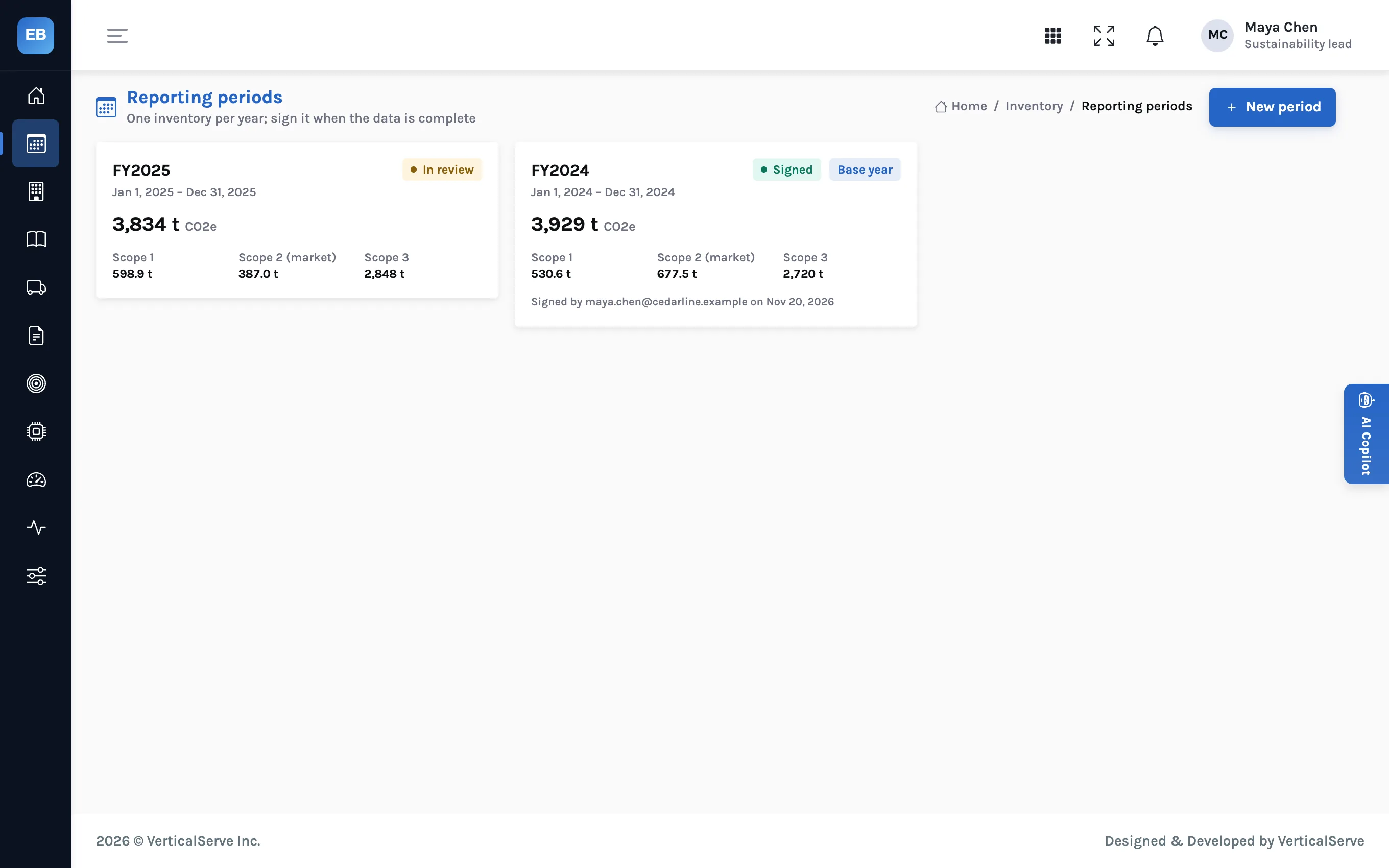
Save the customer's questionnaire as .xlsx or .csv with one question per row in a column called question. An id column (the customer's numbering, such as 1.1 or 2.3) and a section column are optional; if present, they keep the customer's numbering and grouping. Pick the reporting period; Cedarline answered for FY2025.
2. Upload the documents the answers depend on
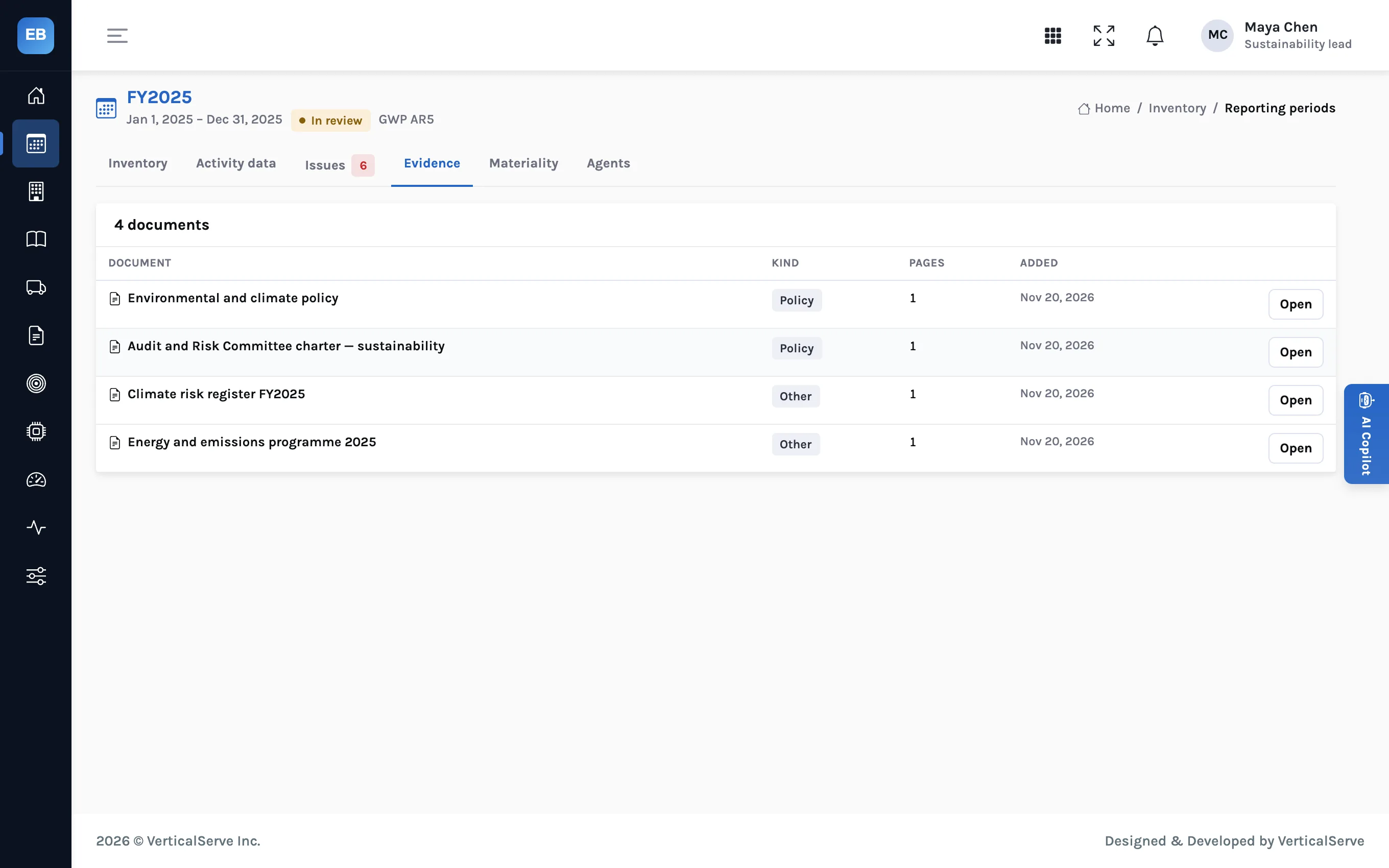
The responder can only cite what it can read. Cedarline's evidence folder holds four documents: an environmental and climate policy, the Audit and Risk Committee charter (sustainability), a climate risk register for FY2025, and an energy and emissions programme for 2025.
3. Draft with the agents
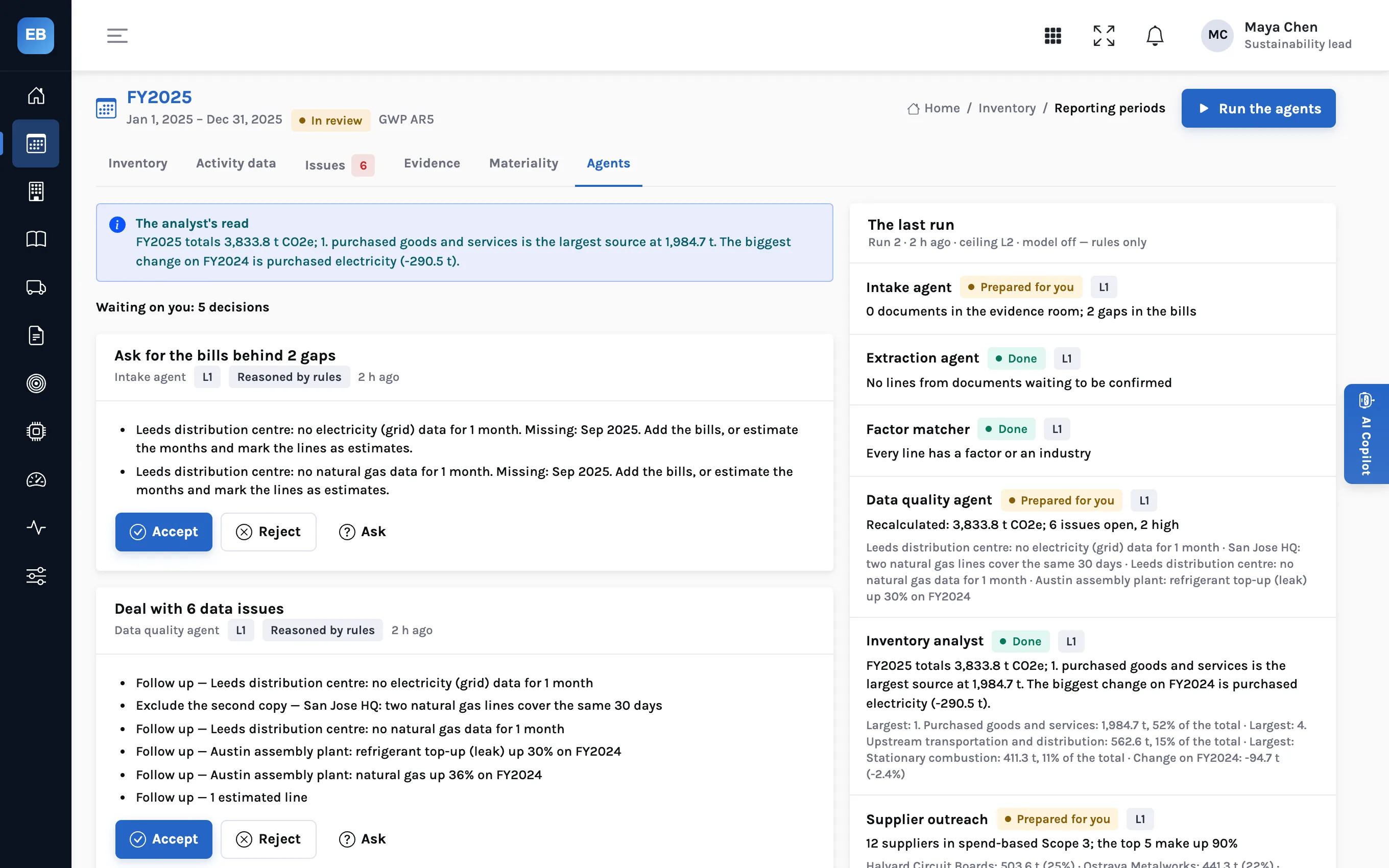
Press Draft with the agents. On the Northbeam survey that produced 7 drafted answers and 6 marked Needs input. The header shows the count and what stands before the lead can approve.
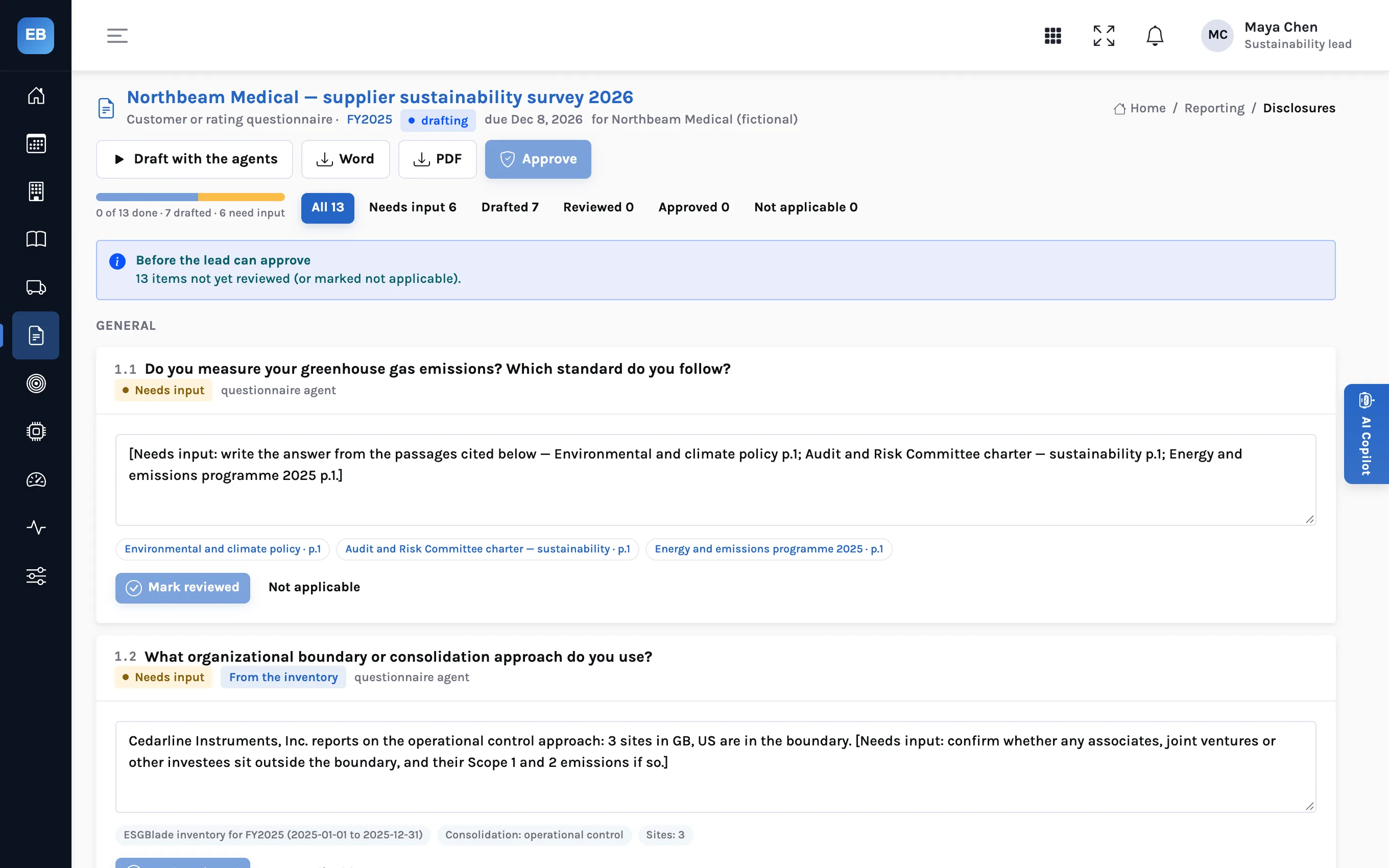
On question 1.2 the responder drafted what the inventory knows (operational control, three sites in the US and the UK) and added a note asking a person to confirm whether any associates, joint ventures or other investees sit outside that boundary. The inventory can't know about an entity that was never entered.
4. Check the figures
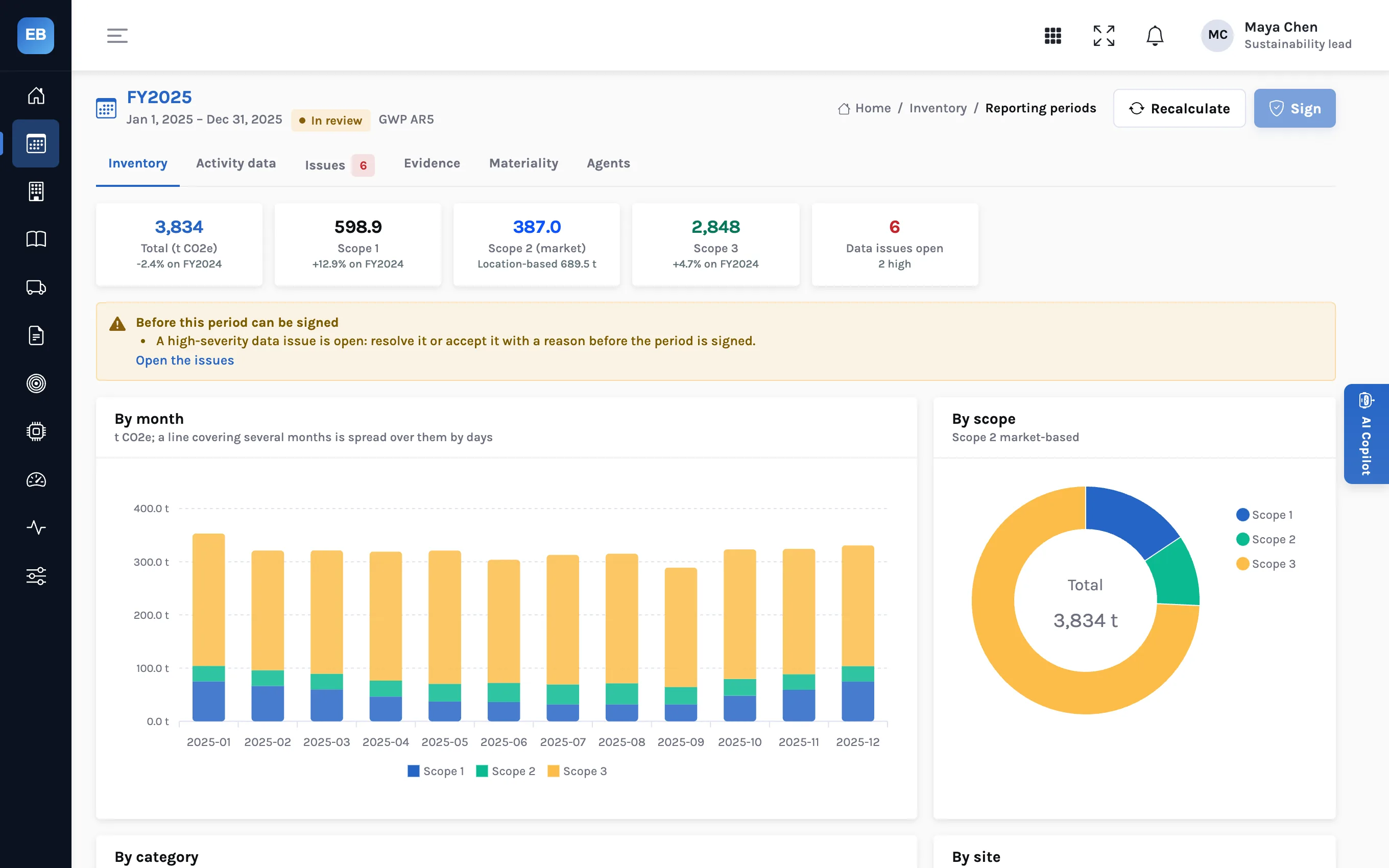
The figure answers are the easiest to review, because each one shows its source. Question 2.2 asks for market-based Scope 2: 387.0 t CO2e for FY2025, from the inventory. Question 2.3 asks for Scope 3 and its categories, and the draft includes a table: purchased goods and services 1,984.7 t (69.7%), upstream transportation 562.6 t, business travel 223.0 t, waste 45.8 t and fuel- and energy-related activities 31.9 t, a total of 2,848.0 t.
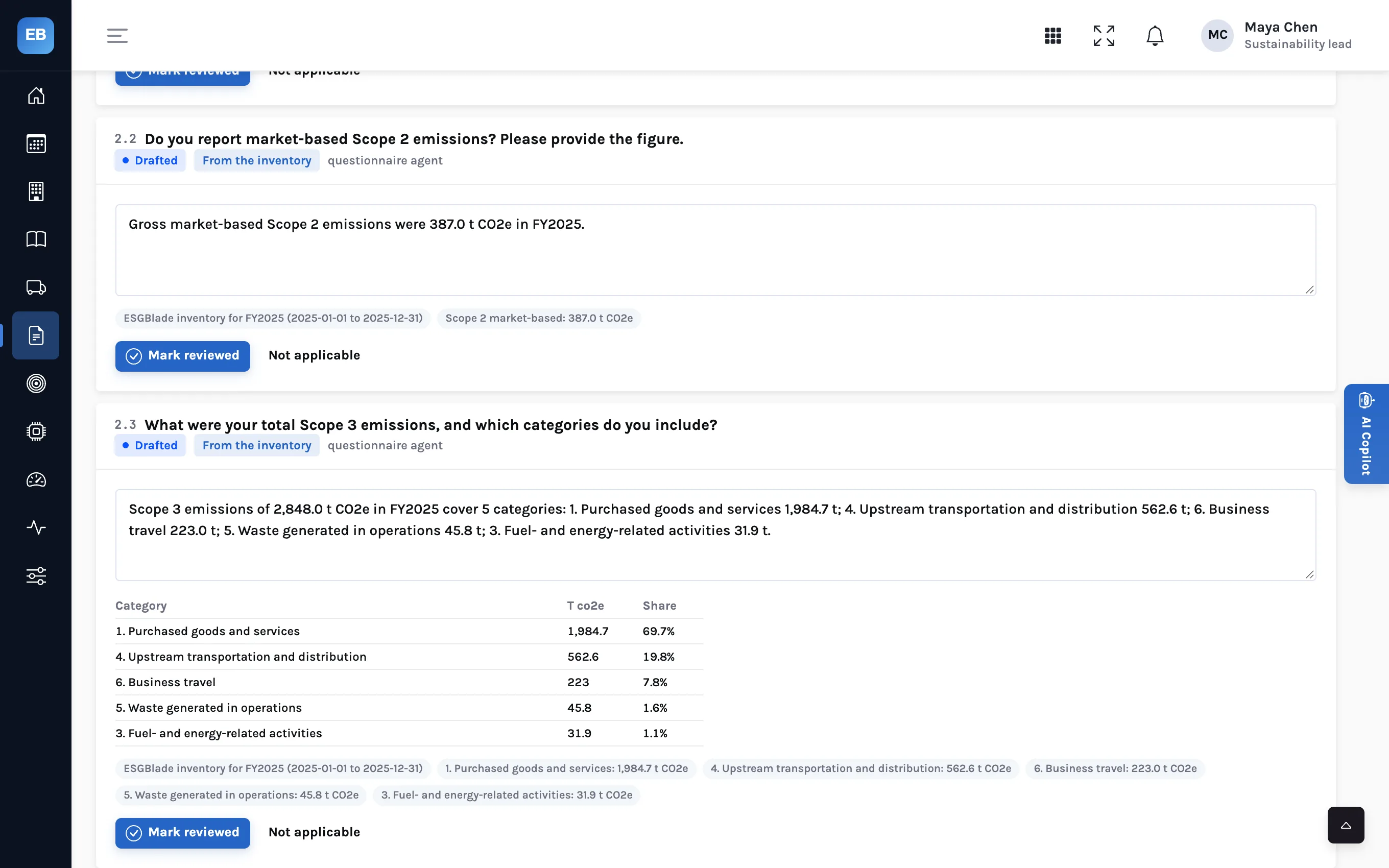
If a figure looks wrong, fix it in the inventory and draft again; each figure traces to a page and a factor.
5. Fill the gaps and mark each answer
For each item, either edit the text and press Mark reviewed, or press Not applicable. Mark reviewed stays blocked while the text still contains "[Needs input", so a placeholder can't slip through to the customer.
6. Approve and export
When every item is reviewed or not applicable, the lead presses Approve. The approval goes on the decision record with who and when, and the questionnaire is locked until reopened. Export to Word or PDF and send it or copy it into the customer's portal.
Who answers what
| Kind of question | Where the answer comes from | Who finishes it |
|---|---|---|
| Scope 1, 2, 3 figures and categories | From the inventory | Reviewer checks, marks reviewed |
| Standard, boundary, factor sources | From the inventory set-up | Reviewer confirms investees and exceptions |
| Policies, governance, risk process | From evidence, with page citations | Someone who owns the policy writes it up |
| Targets, commitments, transition plans, credits, assurance | Never invented | A person, from decisions already made |
Where people stay in charge
- A person reviews every answer. Each item is edited and marked reviewed, or marked not applicable. Mark reviewed stays blocked while "[Needs input" remains.
- The lead approves. The approval goes on the decision record with who and when, and the questionnaire is locked until reopened.
- You send it. You export Word or PDF and give the answers to the customer yourself.
- Commitments come from your company. Targets, policies and commitments are written by a person from decisions already made, and your assurance provider gives assurance.
Before you send it
- The reporting period matches the one the customer asked about
- Every figure answer shows "From the inventory" for that period
- No answer contains "[Needs input"
- Targets and commitments are stated exactly as the company approved them
If the questionnaire asks for supplier engagement, see asking suppliers for their own numbers. For the formal frameworks behind many of these questions, see the frameworks ESGBlade covers.
Answer from the inventory where you can, cite your own documents where you can't, and leave a clear gap where only a person can answer.
Try it on your own data
ESGBlade is free. Tell us about your company and we'll set up a workspace for your first reporting period.
Request a demo